


Bingo Voyage - Live Bingo Game
4.87.55K Reviews
App Specs
- Version
- 1.58.2
- Updated On
- License
- Free
- Downloads
- 5,000,000+
- Developer
- VERTEX GAMES PTE. LTD.
- Categories
- Board
- Platform
- Android, iOS
Screenshots




 Analysis by AppCompare
I like bingo best when it’s easy to dip into for a few rounds, and Bingo Voyage - Live Bingo Game is built around that sort of casual appeal. It brings the familiar card-and-number rhythm to a phone, with themed presentation and the option to follow more than one card. I’d consider it when I want a light game to fill a quiet moment, rather than a replacement for every kind of board game.
What free access does—and does not—tell you
The game is free to download, which makes trying it a low-commitment decision. That is different from saying every item or option is free: in-app purchases are available, with individual items ranging from $0.99 to $199.99. I’d treat those as optional spending, not as part of the basic entry cost, and decide what feels reasonable before buying anything.
Its average rating is 4.9 from around 130,000 ratings, and it has been installed over a million times. Those figures suggest that many players have tried it and responded positively, but they cannot tell me whether I personally will enjoy its pace or want to spend. The useful question is whether the free play suits your habits before you consider any purchase.
How the bingo experience earns its place
I find the strongest case for this game is not simply that it costs nothing to try, but that its familiar bingo loop can be adjusted to suit how much attention I have to give. The choice to follow multiple cards makes focus part of the experience, so I’d treat a first session as a test of pace rather than a race to add more. That balance leads naturally to the question of what the themed presentation contributes.
A themed take on a familiar board game
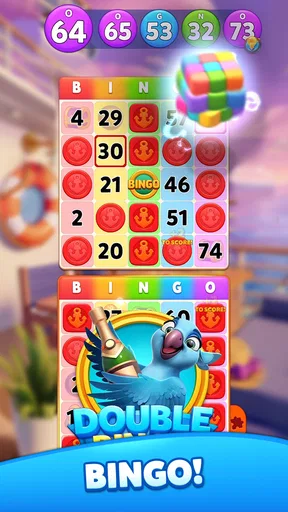
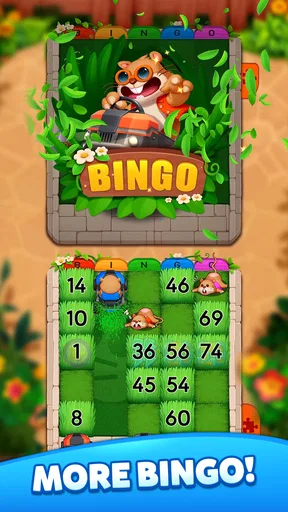
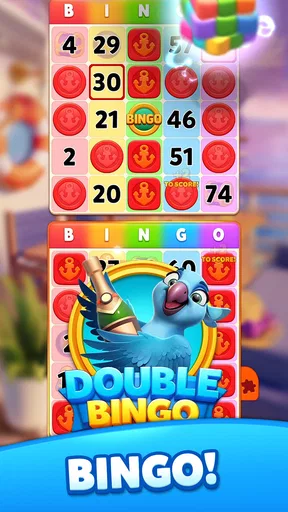
First things first, let’s talk about the graphics. The visuals in Bingo Voyage are vibrant and engaging, making every game feel like a little adventure. Whether you're playing in Paris or exploring the pyramids of Egypt, the themes are beautifully designed and add a touch of wanderlust to your usual bingo experience. It's like a virtual trip around the world!
For me, the themed settings matter most when I want something more colourful than a bare digital bingo card, but they do not change the basic appeal of calling numbers and marking matches. If you already enjoy bingo, the visual variety can make repeated sessions feel less plain. If you want a strategy-heavy board game, though, attractive scenery will not turn bingo into one; the central activity remains recognisable and chance-led.
Playing with more than one card
The gameplay is as smooth as butter, and that's something we all appreciate. You can choose from multiple bingo cards, which is perfect for those who love a challenge. The app offers various power-ups and bonuses that spice up the game. These features keep the excitement alive and make sure you’re never stuck in a bingo rut.
Worth Reading Before You Choose

Flipboard Shows What News Apps Must Do Beyond the Feed

Switching to Android Auto Means Rethinking Your Driving Routine

Google Calendar Makes a Crowded Week Easier to Manage

Ludo King Makes the Most of the Minutes Between Plans

Baby Panda World Brings Quick Play to Modern Phones, but Its Game Library Feels Busy

ESPN’s Live Game View Makes Following Close Games Easier
There is a real trade-off in adding cards: more boards can make a round feel livelier, but they also demand more attention. I’d begin with a manageable number rather than immediately taking on every card available. That gives you time to follow the called numbers and learn the screen’s rhythm before adding more visual decisions. When I’m playing while distracted, fewer cards are the sensible choice; when I can focus, handling several makes the round more involving.
Power-ups and bonuses add another layer beyond simply watching numbers, but I would not assume that using every boost is automatically the best value. A good habit is to learn what a power-up does in context and save it for a moment when it can help, rather than tapping through unfamiliar prompts just because they appear. That approach also makes it easier to judge whether the game is enjoyable on its own terms or whether you are relying on extras to keep a session interesting.
Social play and a realistic routine
One thing I noticed is the social aspect, which is a huge plus. You can connect with friends or even make new ones as you play. It’s always fun to chat with fellow bingo enthusiasts and share tips or just some friendly banter. Plus, there are live events that add a real-time thrill to the whole experience.
A practical use case is a short break at home: I can open a round when I have enough time to pay attention, play a few cards, and stop when I need to return to something else. The live, social side is better suited to a moment when I can stay present than to a commute stop or a task that might interrupt me. If you prefer playing entirely alone, the social features may simply be background; if a little shared excitement is part of the appeal, they can make digital bingo feel less solitary.
Compared with a simple offline bingo app, this one puts more emphasis on themed presentation, multiple cards, and interaction around play. A plain alternative may be a better fit if you want a quiet, uncomplicated board with no social layer to consider. In the other direction, a physical bingo hall offers the atmosphere of being in the same room as other players, something a phone game cannot reproduce. I see this as a convenient middle ground for people who want bingo on demand, not a substitute for the shared ritual of an in-person game.
In-App Purchases: Yay or Nay?
Now, let’s be real. In-app purchases are part of most games, and Bingo Voyage is no exception. The game is free to download, but if you want those extra goodies like power-ups and special themes, you might find yourself tempted to spend a few bucks. However, it's not mandatory to enjoy the game, and you can definitely have a blast without splurging.
The stated purchase range is broad, so I would check the exact item and its price each time rather than treating “a few bucks” as a reliable guide to every offer. The range gives a useful warning that optional purchases can vary substantially. Set a personal limit before playing, especially if you tend to make small impulse purchases in games; free access is most valuable when it stays genuinely comfortable for your budget.
The app also offers daily bonuses and special offers that keep the game fresh and rewarding. So, even without spending, you can still feel like a bingo champ.
Those rewards can help a free player keep engaging with the game, but I’d separate a bonus from a reason to play. If a daily offer fits naturally into your routine, it can be a nice extra. If it starts to feel like an obligation to return or a prompt to spend, stepping away is a reasonable choice. The better test of value is whether the rounds themselves are enjoyable without chasing every offer.
Who is likely to get the most from it?
I’d recommend it to someone who already likes bingo, enjoys lively visual themes, and is curious about playing several cards or sharing the experience with other players. It also suits a casual player who wants a phone-based option for a planned break and is comfortable with optional purchases appearing in a free game. The developer is VERTEX GAMES PTE. LTD., and the game is rated for Everyone, making its stated age classification broad; parents should still use their own judgement about screen time and spending.
I’d skip it if you want a deep tactical board game, dislike purchase prompts, or prefer a strictly offline, no-frills experience. It may also be a poor match if you often play while doing something that needs your attention: multiple cards and live activity reward focus rather than half-watching. Someone who mainly wants the atmosphere of a real bingo gathering may be happier going to a local session when that is practical.
Version, compatibility, and everyday expectations
The current version is 1.52.6, and the minimum operating system is Android 7.0. That makes compatibility an easy first check for Android users before downloading. The game is free to install, but a compatible device and a comfortable approach to optional purchases are separate considerations from the download price.
For a first session, I’d keep the setup simple: try a round without buying anything, start with fewer cards, and notice whether the number-calling pace feels relaxing or demanding. Then explore the social side only if you want company, and check purchase details carefully before confirming any transaction. This small trial answers the questions that matter most—whether the core loop suits you, whether you enjoy the busier options, and whether the free experience is enough.
The Final Word
All in all, Bingo Voyage - Live Bingo Game is a delightful app for any bingo lover looking to enjoy a fun and lively bingo experience right on their smartphone. With its vibrant graphics, engaging gameplay, and social features, it's a solid choice for both casual players and bingo fans who like a more active presentation. Its strongest value is the chance to try the basic experience for free; purchases are optional, but their wide price range makes a little care worthwhile.
So, if you’re ready to embark on a bingo journey around the globe, this app might just be your new best friend. Grab your virtual dauber and start marking those numbers. I’d begin with a free session, keep the card count comfortable, and see whether the game fits the way you like to play. If you want a simple solo board or a more strategic game, another option may suit you better; if themed, social bingo sounds appealing, this is an easy one to sample.
Pros
- Engaging live multiplayer feature.
- Variety of themed bingo rooms.
- User-friendly interface.
- Regular updates with new content.
- In-game rewards and bonuses.
Cons
- Requires a stable internet connection.
- Ads can be intrusive at times.
- Limited free plays per day.
- Some in-app purchases are pricey.
- Battery drain on older devices.
FAQs for Bingo Voyage - Live Bingo Game
What is Bingo Voyage - Live Bingo Game?
Bingo Voyage - Live Bingo Game is an engaging mobile app that offers a thrilling bingo experience with live multiplayer features. Players can enjoy various bingo rooms, each with unique themes and challenges. The app provides a social experience, allowing users to chat and compete with friends or players worldwide.
Is Bingo Voyage free to play?
Yes, Bingo Voyage is free to download and play. However, it offers in-app purchases for players who wish to enhance their gaming experience with additional features, power-ups, or currency. These purchases are optional, and players can enjoy the game without spending money.
What platforms is Bingo Voyage available on?
Bingo Voyage - Live Bingo Game is available on both Android and iOS platforms. Players can download the app from the Google Play Store for Android devices and the Apple App Store for iOS devices, ensuring a wide reach and accessibility for different users.
Does Bingo Voyage require an internet connection?
Yes, an internet connection is required to play Bingo Voyage. The game features live multiplayer bingo rooms and real-time interactions with other players, which necessitates a stable internet connection for seamless gameplay and communication.
Are there any social features in Bingo Voyage?
Bingo Voyage includes several social features to enhance the gaming experience. Players can join bingo rooms with friends, chat with other players in real-time, and compete on leaderboards. These features foster a community atmosphere, making the game more interactive and enjoyable.


